
free_tools
Small tools,
shipped free.
Chrome extensions I designed and built end to end. Private by default, no account, no tracking, no cost. Install one below, or read how it was built.
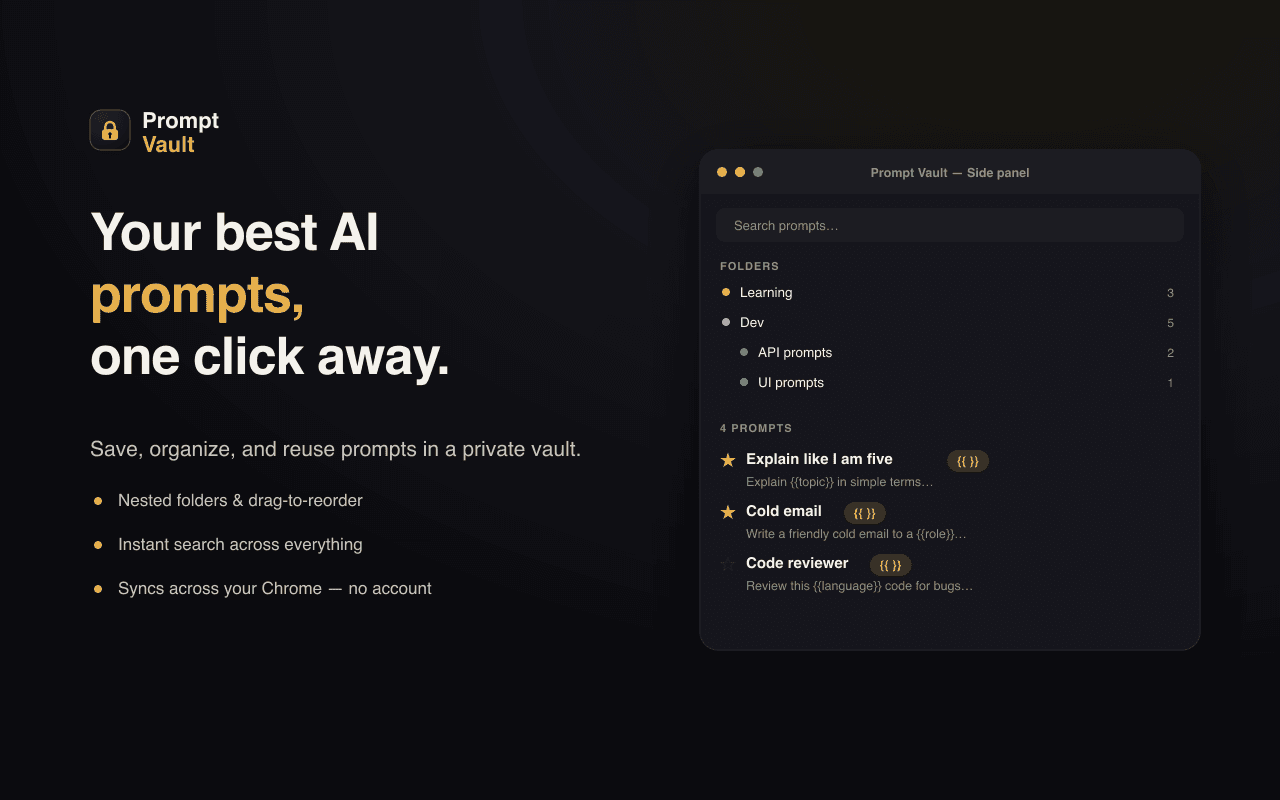
Prompt Vault
Free AI prompt manager (Chrome extension)
A free Chrome extension that saves, organizes, and one-click inserts AI prompts into ChatGPT, Claude, Gemini and more. I designed and shipped the whole thing — serverless, private, and reliable across nine different AI chat sites.
- 9
- supported AI chat sites
- Free
- no account · no server
- 100% local
- prompts never leave your browser
- Built a Manifest V3 extension (Vanilla JS + Vite) with a popup for quick insert and a side panel for a nested-folder prompt library with drag-reorder, favorites, tags, and instant search.
- Made insertion resilient across nine AI sites by injecting via chrome.scripting with layered strategies (execCommand, paste event, native setter) and an always-on clipboard fallback, so a site changing its DOM degrades gracefully instead of breaking.
- Added a templating layer: prompts with {{variables}} ask the user to fill the blanks on insert, turning one prompt into many.
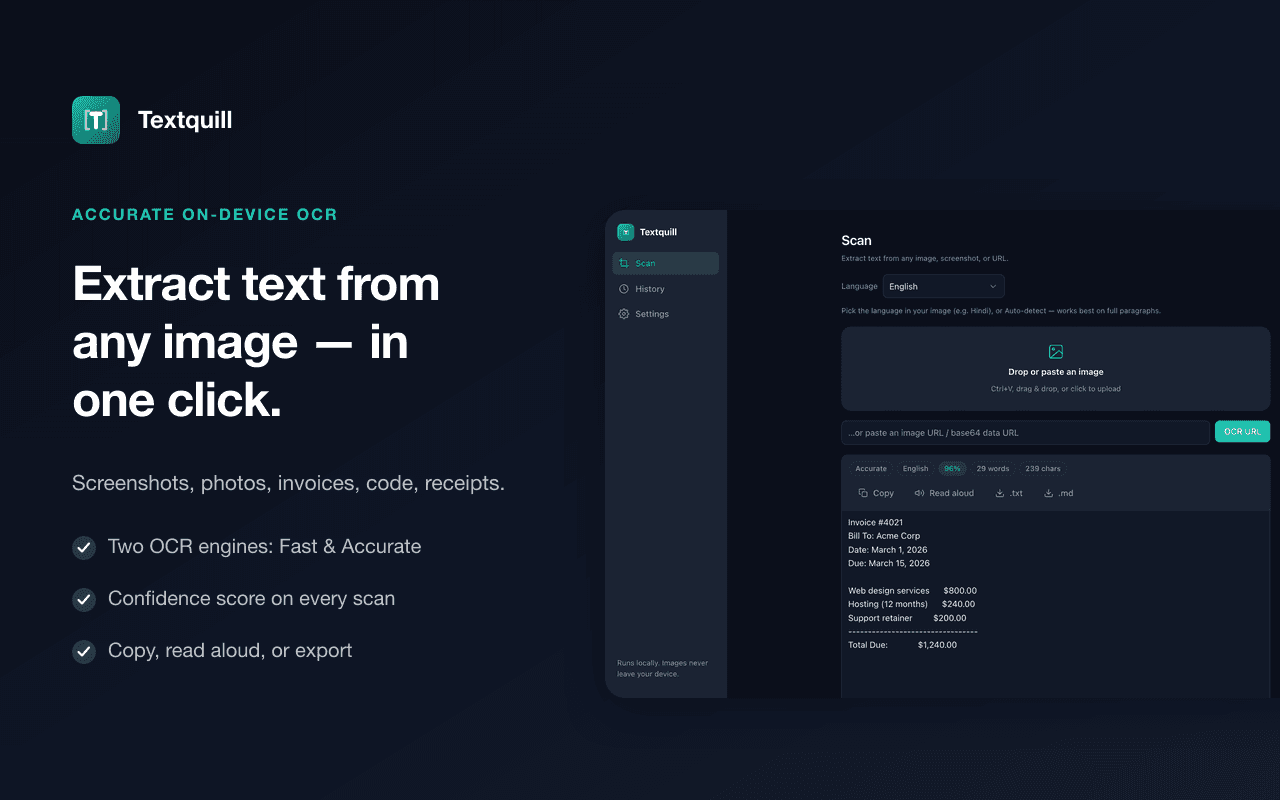
Textquill
On-device OCR + offline grammar checker (Chrome extension)
A free Chrome extension that pulls editable text out of any image, screenshot, PDF, or screen region — then proofreads, translates, and rewrites it, all without a server. V2 turned an OCR tool into a full local text pipeline: four WebAssembly models (OCR, grammar, translation, Chrome's built-in AI) running on the user's own hardware, 38 languages, and an always-on grammar checker that never uploads a draft. Lives at textquill.app.
- 38
- OCR languages
- 4 local models
- OCR · grammar · translation · AI
- 100% on-device
- images and writing never leave the browser
- Ran the entire pipeline on-device in WebAssembly: OCR (Tesseract + PaddleOCR), a Rust→WASM grammar engine, a local translation model, and Chrome's built-in on-device model for AI writing tools. No account, no API key, and no network round-trip for user content — only two one-time static model downloads.
- Built an always-on grammar checker that works everywhere you type: coloured inline underlines in any site's editable fields, click-a-word suggestion cards, US/UK/AU/CA dialects, and global plus per-site off switches. Password and search fields are never read, and because the checker is local it works in browsers with no cloud AI at all, including Brave.
- Added a second OCR engine — PaddleOCR PP-OCRv4 on onnxruntime-web — hand-rolled rather than wrapped: DB detection post-processing and CTC greedy decode written in plain JS to avoid an OpenCV build whose Emscripten dispatch needs unsafe-eval, which MV3's extension CSP forbids. Low-confidence results cross-try the other engine and keep the better read.
and_the_bigger_work
These are the small end. The rest is full products.
Frontend, backend, cloud, and the AI on top, shipped to a bar you can defend in production.
See ways to work together