
case_study
Textquill
On-device OCR + offline grammar checker (Chrome extension)
Solo — product design, engineering, and release
- JavaScript
- Chrome MV3
- WebAssembly
- onnxruntime-web
- Chrome built-in AI
problem
The problem
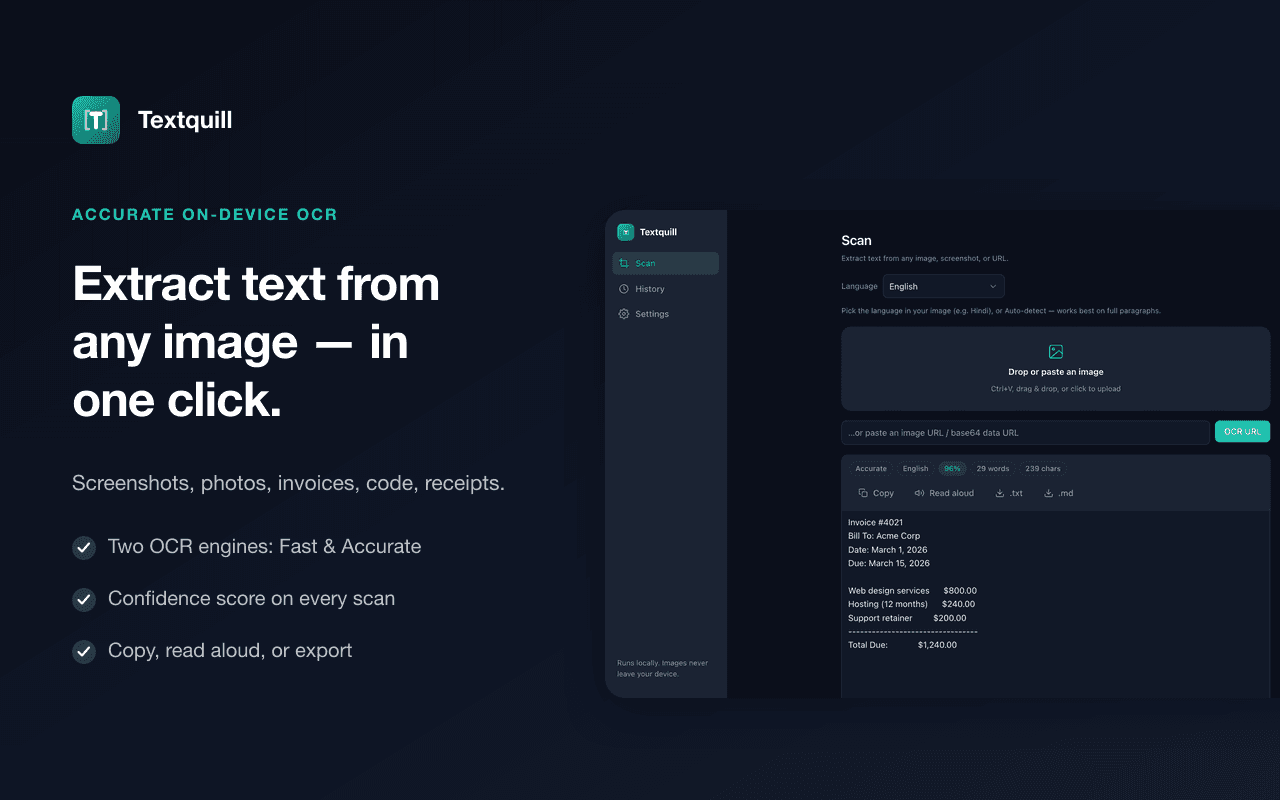
Getting text out of an image is a daily chore — a screenshot, a slide, a scanned invoice, a photo of a page — and almost every OCR tool solves it by uploading your image to a server. For anything sensitive (IDs, invoices, private documents) that is a non-starter, and even when it isn't, it's slow and gated behind accounts and quotas.
V1 solved the capture half. But extracted text is rarely finished text: OCR output is messy, it's often in a language you don't read, and it needs fixing before it's usable. Every tool for that second half — grammar checkers especially — has the same flaw as the OCR tools, only worse: they read everything you type, on every site, on someone else's servers.
So V2 set a harder constraint. Do the whole loop — recognize, proofread, translate, rewrite — with nothing leaving the machine, inside a Manifest V3 extension whose CSP forbids unsafe-eval and whose service worker can't run WASM directly.
approach
What I engineered
- Ran the entire pipeline on-device in WebAssembly: OCR (Tesseract + PaddleOCR), a Rust→WASM grammar engine, a local translation model, and Chrome's built-in on-device model for AI writing tools. No account, no API key, and no network round-trip for user content — only two one-time static model downloads.
- Built an always-on grammar checker that works everywhere you type: coloured inline underlines in any site's editable fields, click-a-word suggestion cards, US/UK/AU/CA dialects, and global plus per-site off switches. Password and search fields are never read, and because the checker is local it works in browsers with no cloud AI at all, including Brave.
- Added a second OCR engine — PaddleOCR PP-OCRv4 on onnxruntime-web — hand-rolled rather than wrapped: DB detection post-processing and CTC greedy decode written in plain JS to avoid an OpenCV build whose Emscripten dispatch needs unsafe-eval, which MV3's extension CSP forbids. Low-confidence results cross-try the other engine and keep the better read.
- Grew OCR to 38 languages with script-based auto-detect, and kept every V1 capture path (right-click, area-select, visible and full-page scroll-stitch, upload, drag-drop, paste, image URL, data URL) while adding PDF input with page ranges and password support.
- Made the output actually reusable: regex find-and-replace with capture groups, text-to-speech, and export to .txt, .md, .csv, .html, .json, .xml, print, and .docx — the last through a dependency-free OOXML writer rather than a multi-megabyte library.
- Kept the package honest under the store's size and review bar: dropped 24MB of never-loaded Tesseract cores and 160KB gzipped of pdf.js asm.js fallbacks, and gated the Chrome-AI actions behind a real diagnostic (with model-download progress and ETA) instead of hiding them or letting them fail silently.
result
The result
A shipped V2 that changed what the product is: not an OCR utility, but a private text pipeline — capture, read, correct, translate, rewrite — where the image and the writing both stay on the user's machine.
It's live and free on the Chrome Web Store, with its own site at textquill.app and a privacy policy that documents the exact network behaviour. Install it below.
- 38
- OCR languages
- 4 local models
- OCR · grammar · translation · AI
- 100% on-device
- images and writing never leave the browser
Product facts for Textquill V2, my own free Chrome extension (2026). No usage or adoption figures are claimed.Install on the Chrome Web Store ↗
more_free_tools
More free tools I've built
work_with_me
Have a project like this?
Tell me the problem on a 20-minute call and I'll tell you how I'd approach it, the same way Textquill started.
Discuss your project